What users needed
Start a session quickly, keep blocklists private, and trust that active sessions would remain in effect even if the browser or app stopped unexpectedly.
Project Case Study
A local-first macOS focus blocker built for reliable enforcement, not just good intentions.
Most focus apps are easy to bypass because they live entirely at the UI layer. Latch started from a different goal: if a user starts a focus session, the blocking should survive browser restarts, crashes, and ordinary attempts to work around the app, while still feeling clean and approachable.
I built Latch as an Electron desktop app paired with a one-time privileged helper, an optional Chromium extension, and a bundled native messaging flow. Under the hood, that meant a six-state session machine, explicit crash-recovery logic, schema-validated trust boundaries, and a packaged macOS release that shipped the app, helper, extension bundle, and native messaging binary together.
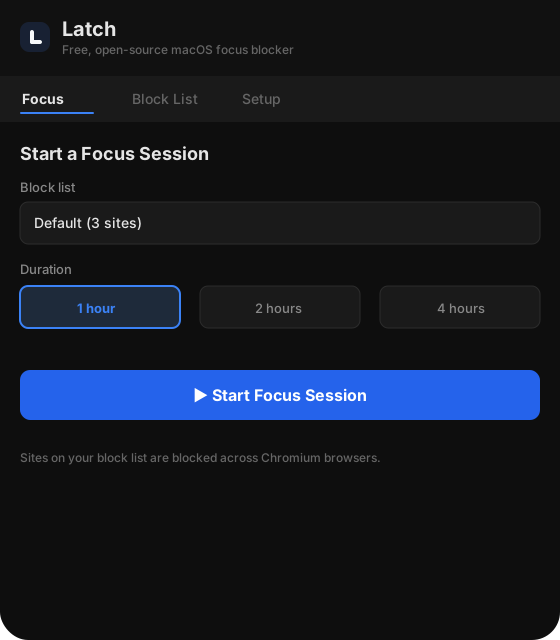
The product problem was straightforward: build a distraction blocker that users could trust during a real focus session. That meant more than a nice timer. It meant enforcement that was difficult to bypass accidentally, state that stayed consistent when the app restarted, and a user experience that still felt friendlier than editing system files by hand.
Start a session quickly, keep blocklists private, and trust that active sessions would remain in effect even if the browser or app stopped unexpectedly.
Pure browser-side blockers are easy to disable. Pure system-side approaches often feel hostile, opaque, or difficult to package into a clean product experience.
Latch was shaped by a few hard product and engineering constraints. These constraints were what made the project interesting.
I structured Latch as a product with explicit responsibilities across components instead of pushing everything into the Electron app. The implementation detail I cared about most was keeping privileged work narrow and explicit.
The main application owned session control, blocklist management, and user-facing workflows. Session execution lived in a six-state machine with explicit transitions for idle, starting, active, stopping, recovering, and helper_unavailable.
A one-time privileged helper handled the system-level enforcement path. Electron stayed unprivileged and talked to the helper through a local socket at /var/run/latch.sock, keeping the privileged surface small and deliberate.
The extension existed for a friendlier blocked-page experience. Instead of leaving users with a vague browser failure, Latch could present an intentional interruption and keep blocked-tab state synchronized with session changes.
Native messaging tied the browser-facing experience back into the broader system, and the desktop app repaired the Chrome native messaging manifest automatically when it was missing or mismatched.
The most important engineering work in Latch was about trust. A focus blocker that silently stops working teaches users not to rely on it.
session.json with intent first, then called the helper, then marked the session active. Stopping followed the same pattern in reverse. That ordering made crash recovery mechanically understandable instead of heuristic guesswork./etc/hosts edits in explicit start/end markers so it could detect whether a block was still active and clean up only its own changes.These are the kinds of implementation details that usually do not fit on a resume, but they are exactly the work that made the system feel solid.
extraResources, so the release artifact behaves like one product rather than a loose stack of manual install steps.One of the most practical parts of the project was distribution. Latch was not just an Electron app. It also involved a helper, an extension bundle, and a native messaging host. Shipping that cleanly mattered as much as implementing it.
What made this interesting: the release problem was really a product integration problem. The goal was to make installation and usage feel like one application, even though the system was made of several components with different trust boundaries and setup requirements. In the packaged app, the helper resources, Chrome extension bundle, and native messaging host all travel together.
That packaging work is important recruiter signal because it moves beyond feature implementation. It shows ownership across developer experience, platform constraints, and operational polish.
Latch is the project on my portfolio that best captures how I like to build systems.
I designed around trust boundaries, failure modes, component responsibilities, and packaging boundaries instead of treating the app as only a front-end problem.
The extension and blocked-page experience existed because enforcement alone was not enough; the product also needed to feel understandable and intentional to users.
I worked through packaging, manifest registration, installation state, and release concerns so the system could be distributed as a real product rather than a prototype with manual setup steps.
Focus-session reliability, crash recovery, transport hardening, and on-device state persistence were first-class concerns, not cleanup tasks added afterward.
If I continued pushing Latch forward, I would invest in three areas: